Product Attributes on Shop And Archive Pages for WooCommerce
Show product attributes on shop, category and other archive pages.
Features
- Easy to use
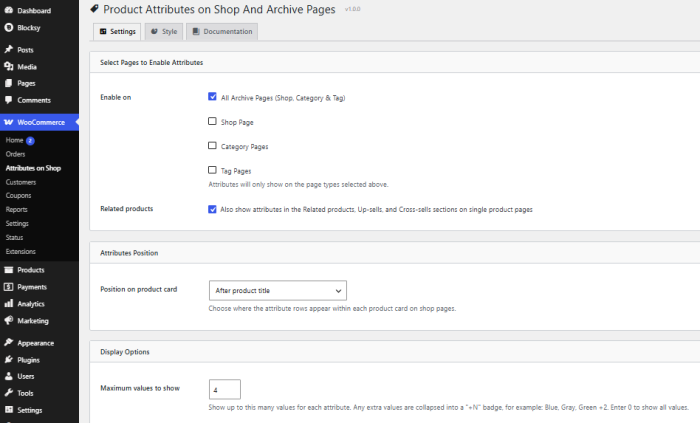
- Shop product attributes on all archive pages or specific shop, category or tag pages.
- Choose to position the attributes before or after (title, reviews, price or add to cart button)
- Show any specific attribute and hide others (control product wise)
- Set the limit of Attributes to show at a time
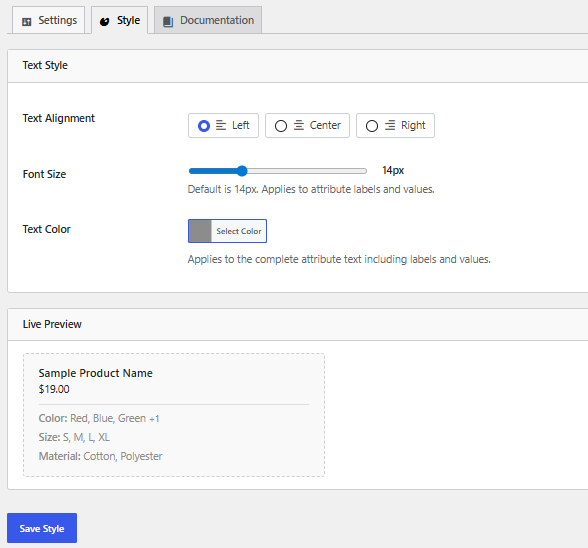
- Customize text alignment, font size or color
- Woocommerce Compatible
Screenshots
Check out how this plugin appears for both customers and admin users.
General Settings Page
Style Settings Page
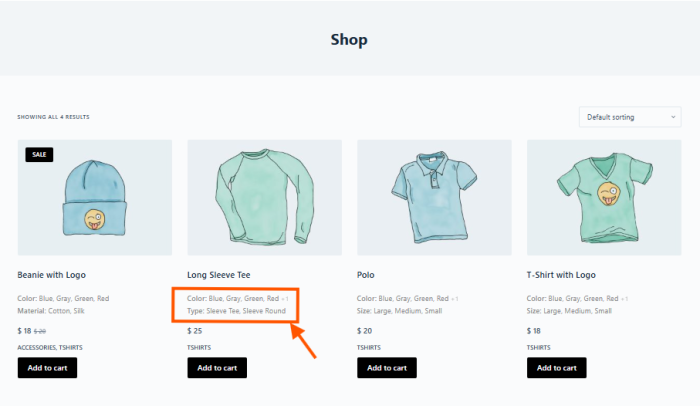
Shop Page
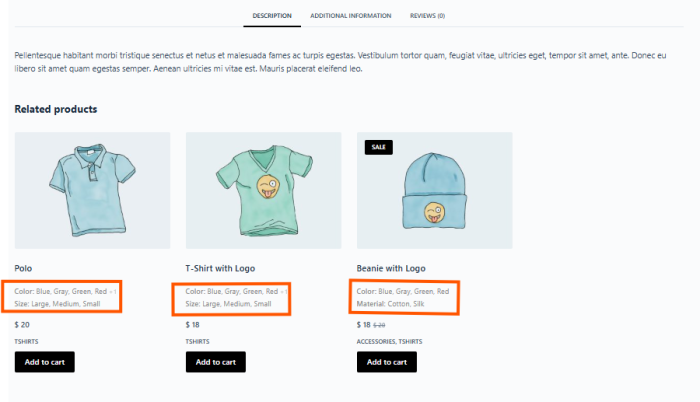
Product Page
Frequently Asked Questions
How do I choose which attributes appear on the shop page?
Open any product, go to the Attributes tab under Product Data, and you will see a new checkbox labeled “Show on shop/archive page” next to each attribute. Tick it for the attributes you want to display, then save the product. Only the attributes you select will appear, so you stay in full control of every product individually.
Will the attributes follow a specific order?
Yes. The attributes display in exactly the same order you set them in the product’s Attributes tab. If you drag an attribute to a new position there, the shop page reflects that change automatically, so you never have to manage the order in two separate places.
Can I control where the attributes show up on each product card?
Absolutely. The settings page lets you place the attribute rows in eight different positions, including before or after the title, the rating, the price, or the Add to Cart button. You can also decide which page types display the attributes, such as the main shop page, category pages, and tag pages.
What happens when a product has many values for one attribute?
You can set a maximum number of values to show per attribute. Any values beyond that limit are summarized neatly with a count, for example “Blue, Gray, Green +2”, which keeps your product cards clean and easy to scan. If you prefer to show everything, simply set the limit to zero and all values will appear.
Does the plugin work with the Related Products section?
Yes. There is a dedicated option that extends the attribute display to the Related Products, Up Sells, and Cross Sells sections on single product pages. You can turn this on or off at any time, and the attributes there use the same position and styling you chose in the settings.
© 2026 owaisfdev (IAMOWAIS). All Rights Reserved